The Real World Charge on Your Bank Statement: What It Is
How to tell if a charge is The Real World: the amounts, the email receipt and the company name on the official pages. How to stop it, refunds, and what to do next.
Direct answer
A charge from The Real World is a membership payment to New Era Learning LLC, the company that its Terms of Use say operates the site. On November 7, 2026 the official checkout showed the Conquer plan at $99 a month, and the yearly option was $996 when this site last checked it on October 19, 2026; tax can be added where the law requires. The Real World's official pages don't say what name appears on a bank statement, so match the charge another way: the Terms say you get an electronic receipt after each successful payment, so search the inbox you joined with, check the amount and date, and log in to your membership settings. To stop future charges, cancel in your account settings before the next renewal. The official policy says fees are generally non-refundable once a period has started, except where the law requires otherwise. If you don't recognise the charge at all, contact your bank or card provider straight away. This site is independent and can't see or change anyone's account.
You’ve spotted a charge on your bank or card statement and you think, or someone has told you, it might be The Real World. This page shows how to check, how to stop it, what the official refund rules say, and what to do if it turns out not to be yours. Everything about The Real World comes from its own Terms of Use, subscription policy, support page and checkout, all read on November 7, 2026. This site is independent: it isn’t The Real World, and it can’t see, refund or cancel anyone’s membership. It’s general information, not legal or financial advice.
What does a The Real World charge look like?
The Real World sells memberships on its own checkout at jointherealworld.com, billed in US dollars. The support page says: “Membership is billed in USD by Visa, Mastercard, American Express or Discover.” These are the amounts to look for:
| Plan | Amount | How often |
|---|---|---|
| Conquer, monthly | $99 | On joining, then every month |
| Conquer, yearly | $996 | Once a year, upfront |
| Vanguard | $499 a month | Listed but shown as Sold Out, so you’re unlikely to see it |
Monthly price and Vanguard status from the official checkout on November 7, 2026; the yearly price from this site’s check on October 19, 2026. The price guide has the full detail.
Three things can make your figure differ from the table:
- Tax. The subscription policy says prices are “inclusive or exclusive of applicable taxes as indicated at checkout. Taxes will be added where required by law.”
- Your currency. If your card isn’t in US dollars, your bank converts the charge, so the amount in pounds, euros or anything else won’t be a round number. Your bank can tell you the rate it used and any fee it added.
- An app store. The subscription policy mentions “Purchases through Apple App Store or Google Play”. If you paid that way, the payment went through the store, so look in the store’s subscriptions list too.
The Terms of Use also say monthly members authorise NEL “and its payment processors” to charge the card “immediately upon purchase and automatically monthly thereafter”. So a monthly charge usually repeats around the same date each month.
What name appears on the bank statement?
None of The Real World’s official pages says what name appears on a bank statement, so this page won’t guess. What they do say:
- The company. The Terms of Use say the site is “operated by New Era Learning LLC (“NEL”)” (Terms). The About page says New Era Learning LLC is “registered in Sharjah Media City” in the United Arab Emirates. More on that in who owns The Real World.
- The payment companies. The subscription policy says: “Subscription payments are processed by authorised third-party payment providers” (policy). It doesn’t name them.
So the name on your statement could be The Real World, the company, a payment provider, or a shortened version of one of those. The official pages don’t settle it, which is why matching the charge, below, is the reliable way.
How do you tell if the charge is The Real World?
Work through these, in order:
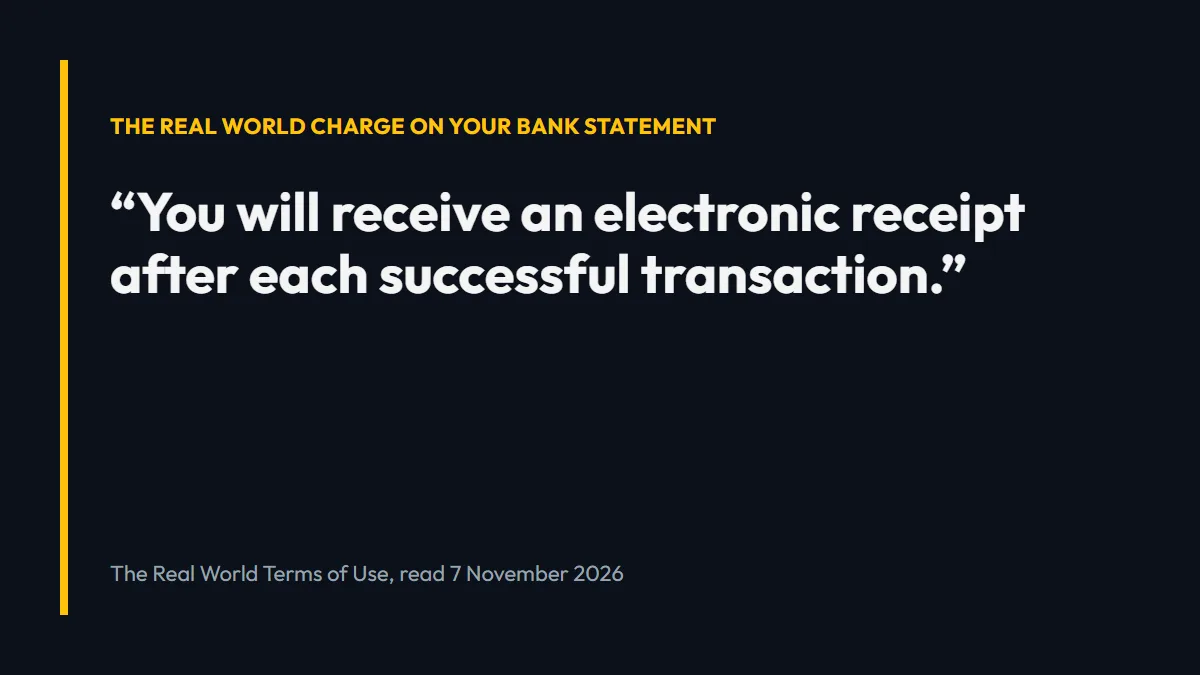
- Find the receipt. The Terms say: “You will receive an electronic receipt after each successful transaction” (Terms). Search the email inbox you’d have joined with for “The Real World” or “jointherealworld”, and check the spam folder. A receipt with the same date and amount settles it.
- Compare the amount and the date. Does it match $99, $996 or one of those plus tax or currency conversion? Does it repeat on the same day each month?
- Log in and look. Members log in at app.jointherealworld.com, and the “Manage Membership” link in the official site’s footer goes to the membership settings there. If an account exists for your email, that’s where the plan and renewal show.
- Ask someone in your household. If another person uses your card, they may have joined.
- Ask your bank for the merchant details. Your bank or card provider can usually tell you more about who took the payment than the short line on the statement shows.
- Email The Real World. Write to support@jointherealworld.com, ideally from the email address the membership might be under, with the date and amount of the charge. The support guide covers what to include.
If you paid on a site that wasn’t jointherealworld.com, the charge may not be The Real World’s at all. Some sites use The Real World or Hustlers University name and send payments elsewhere; see which Hustlers University is the real one.
How do you stop The Real World charging you?
Cancel the subscription in your account settings. The subscription policy says: “You may cancel your Subscription at any time through your account settings. To avoid your next Subscription charge, cancel before your next scheduled renewal payment is processed.”
Three points catch people out:
- Deleting the account doesn’t cancel. The policy says: “Deleting your account does not automatically cancel your Subscription.” See does deleting your Real World account stop payments.
- Cancelling stops the next charge, not the one you’ve had. Access continues to the end of the period you’ve paid for.
- App store payments are cancelled in the store. Cancelling on the website won’t stop an Apple App Store or Google Play subscription.
The step-by-step guide is how to cancel The Real World.
Can you get the money back?
The official rules are strict. The subscription policy says: “As you have requested immediate access to your Subscription, Subscription fees are generally non-refundable once the Subscription period has commenced” (policy). It adds: “Refunds may be granted only where required by law or where expressly offered by us. Requests for refunds outside this policy may be considered at our sole discretion.”
The Terms of Use give the route for asking: “If you believe your situation calls for an exception to our refund policy, please contact our support team at support@jointherealworld.com” (Terms). The support page puts it the same way: “Requests outside the policy may be considered at NEL’s discretion via support.”
The policy also says mandatory consumer rights where you live still apply “to the extent required by applicable law”. What those are depends on your country or state, which is a question for a consumer adviser, not this page.
What if you don’t recognise the charge at all?
If you didn’t join The Real World, nobody in your household did, and there’s no receipt, treat it as a charge you didn’t authorise and contact your bank or card provider straight away. Don’t wait to hear back from a merchant first.
In the US. The Consumer Financial Protection Bureau says that for a bank account or debit card, “At the latest, you must notify your bank within 60 days after your bank or credit union sends your statement” (CFPB). For credit cards, the Federal Trade Commission says to send your dispute letter “so that it reaches the issuer within 60 days after the first bill with the error was sent to you” (FTC), and notes that “unauthorized charges might be a sign of identity theft.”
In the UK. Citizens Advice says that if you think your account details have been stolen, “Contact your bank immediately so they can protect your account” (Citizens Advice). For card payments that went wrong, it describes chargeback: “Tell your card provider you want to make a chargeback claim” (Citizens Advice).
If the charge turns out to be a real membership you forgot about, a dispute is a different matter from fraud. Citizens Advice says “It’s usually best to try to contact the trader” first when a purchase has gone wrong, and the FTC says to “contact the seller first” for a quality problem. In that case, cancel and write to support before going to your bank.
Is “Realroot” or “RealWord Inc” The Real World?
People search for both names after seeing a charge. Neither name appears on any of The Real World’s official pages checked on November 7, 2026 (the Terms, subscription policy, privacy policy, support page, About page and checkout). So this page can’t confirm that either one is The Real World.
Realroot in particular may be a different company. Don’t assume a Realroot charge is The Real World, and don’t cancel or dispute the wrong subscription. Ask your bank which merchant took the payment, and use the matching steps above. If it is a different company, its own website or your bank is the place to sort it out.
When this doesn’t apply
- If you paid somewhere other than jointherealworld.com. Third-party sites using The Real World name aren’t covered by its policies, and The Real World’s support may not be able to find your payment.
- If you paid through an app store. Apple’s or Google’s billing and refund rules apply, according to the subscription policy.
- If you’re on an older or different plan. The subscription policy lists Monthly, Annual Pay Monthly, Annual Pay in Advance and Annual Plus plans. Annual Pay Monthly is “a 12-month commitment that is charged monthly”, so the amount and timing can differ from the table above.
- If the policies have changed. Everything here was read on November 7, 2026. The official pages are the record.
- This isn’t legal or financial advice. Your rights depend on where you live and how you paid. Your bank, the CFPB, Citizens Advice or a consumer adviser can tell you what applies to you.
What to do next
Search your inbox for The Real World receipt and compare the amount and date. If it’s yours and you want it to stop, follow how to cancel The Real World before your next renewal date. If you can’t match it, call your bank or card provider today and tell them you don’t recognise the payment.
Related questions
What name does The Real World use on bank statements?
The Real World's official pages don't say. The Terms of Use name the operator as New Era Learning LLC (NEL), and the subscription policy says payments are processed by authorised third-party payment providers. To be sure a charge is The Real World, match the amount, the date and the email receipt, or ask your bank for the merchant details.
How much does The Real World charge?
On November 7, 2026 the official checkout showed the Conquer plan at $99 a month. The yearly option was $996 when this site last checked it on October 19, 2026. Taxes can be added where required by law, and cards in other currencies show a converted amount.
How do I cancel this charge from The Real World?
Cancel the subscription in your account settings (the membership portal) before your next renewal payment. That stops future charges; it doesn't refund the current period. Deleting the account does not cancel the subscription.
Can I get a refund for a The Real World charge?
The official subscription policy says fees are generally non-refundable once the subscription period has started, except where the law requires otherwise. The Terms say that if you believe your situation calls for an exception, you can contact support at support@jointherealworld.com.
Is Realroot the same as The Real World?
There's no sign it is. Realroot doesn't appear on any of The Real World's official pages checked on November 7, 2026, so treat it as a different company until you have proof otherwise, and ask your bank who the merchant is.
What happens after you join
The member behind this site went through these steps himself. This is his own account, from 25 October 2026.
Choose a plan on the official checkout
You go to the official checkout and choose a plan. Only Conquer ($99 a month, or yearly at 17% off) can be bought now: Vanguard ($499 a month) shows “Sold Out” on the checkout (checked 25 October 2026).
Get the sign-in email
After you pay, you get an email with a link to sign in.
Set your password and log in
On the sign-in page you click “Forgot password”, which emails you a link to set your password. Then you log in.
Choose your campus
You choose your campus. Every campus is included in the one membership.
Start the courses
You start the courses: watch the lessons and take notes. Finishing lessons unlocks the next sections and chats.
The choice is yours

Take action
Don’t wait for tomorrow.
$99 / month
Conquer plan · or $996 a year (saves $192) · every campus included
- Step-by-step video lessons
- 12 business models to pick from
- Lessons from each campus's professors
- Chat groups for every campus
- Made for complete beginners
- Its own learning app
- Cancel any time in your account
 $99 a month. Cancel any time.
Sources
- The Real World Terms of Use: site operated by New Era Learning LLC — checked November 7, 2026
- The Real World Terms of Use: electronic receipt after each successful transaction — checked November 7, 2026
- The Real World Terms of Use: refunds and exceptions — checked November 7, 2026
- The Real World Subscription Policy: payments processed by third-party payment providers — checked November 7, 2026
- The Real World Subscription Policy: refund policy — checked November 7, 2026
- The Real World support page: billed in USD; refunds at NEL's discretion — checked November 7, 2026
- The Real World official checkout (plans and prices) — checked November 7, 2026
- CFPB: getting your money back after an unauthorized transaction — checked November 7, 2026
- FTC: using credit cards and disputing charges — checked November 7, 2026
- Citizens Advice: getting your money back if you paid by card or PayPal — checked November 7, 2026
- Citizens Advice: what to do if you have been scammed — checked November 7, 2026

therealworldus.com is run by New Age Endeavour Ltd, an independent marketing consultant to New Era Learning LLC, which owns The Real World (formerly Hustlers University), since March 2023. It is not operated by The Real World or New Era Learning LLC. Articles are written from official sources and the experience of a member since 2022, and are updated when prices or plans change.
Changelog
- : Published. Terms of Use, Subscription Policy, support page and checkout checked November 7, 2026, with the CFPB, FTC and Citizens Advice pages.